









Skip to content
  • Solutions
  • Products
  • Resources
  • Support
  • Company
  • Contact
  • Home
  • Solutions
  • Products
  • Resources
  • Support
  • Company
  • Home
  • Solutions
  • Products
  • Resources
  • Support
  • Company
Shop Now
Computer Testing Needs for Manufacturing

Scoping out new PC designs, building golden samples or ready for production.

Computer Testing Needs for Refurbishing

Determining PC asset value throughout usable lifecycles, deciding which systems…

Computer Testing Needs for Services

Welcome to the world of computer issues and often product returns…

Computer Testing Needs for Support

Let’s extend our gratitude to the dedicated teams that keep our PCs running smoothly 24/7.

Government and Public Sector Computer Reliability

No matter which government sector or service you’re in, computer reliability can only be assured when you use comprehensive software tools

Find the Best Diagnostic and Data Erasure Solution

Not sure which software will give you the results you need? 

Start Here
  • Diagnostics
  • Data Erasure
  • Management Tools

Pc-Check® Windows®

Pc-Check® MultiMode™

Pc-Check® UEFI + Arm®

Pc-Check® Windows® + ZeroData™ Windows®

Pc-Check® UEFI Embedded Fixed Disk & BIOS

Pc-Check® Self-boot

Diagnostic Test Accessories

Computer Diagnostic Tests

ZeroData™ Windows®

Pc-Check® Windows® + ZeroData™ Windows®

ZeroData™ Windows® - Erasure Compliance Methods

PC Builder™ Software Introduction

PC Builder™ Software for Manufacturing

PC Builder™ Software for Refurbishment

Government and Public Sector Computer Reliability
Learn More
PC Diagnostic & Data Erasure Software Comparison
Learn More
UEFI Hardware Diagnostics Resource
Learn More
Secure Data Erasure Guide 2026
Learn More
Eurosoft Software Subscription FAQ's
Learn More

Latest News

News
Updates

Help us to identify your support request.

Purchasing Questions and Answers? Registering your Eurosoft product? Technical issue?

Learn More

Eurosoft Office Hours

UK Office
Monday – Friday
8:30AM – 5:30PM

US Office
Monday – Friday
8:00AM – 5:00PM EST/CST

Contact Us

  • UK Tel: +44 (0)1202 297 315
  • US Tel: +1 (712) 255 7483

Find support Fast

Frequently Asked Questions
Support Portal
Support Ticket
Diagnostic Product Registration
Product Announcements
About Eurosoft
Latest News
Testimonials
Terms & Conditions
Employment
Representatives

Eurosoft Offices

Eurosoft (UK) Ltd
Head Office
3 St. Stephen’s Road
Bournemouth
BH2 6JL
England

Email info@eurosoft-uk.com

Tel +44 (0)1202 297315
Fax +44 (0)1202 558280

Eurosoft (US) Inc.
2635 S Palmetto St.
Sioux City,
IA 51106
United States of America

Email info@eurosoft-us.com

Tel +1 (712) 255 7483
Fax +1 (866) 615-9384

Our Offices
  • Home /
  • News /
  • Blog IT /
  • End of Windows 7 Looming

End of Windows 7 Looming

End of Windows 7 Looming

If you’re still a Windows 7 user, then the deadline is looming: Windows 7 support officially ends on January 14, 2020. That’s less than a week to upgrade to Windows 10.

Windows 7 End of Support

What’s the problem? Well, if you are haven’t already upgraded, PCs still running Windows 7 will no longer receive Microsoft updates. Importantly, this includes security updates when new threats are discovered.

Don’t panic. You are not alone. It is estimated that at the end of January 2020, approximately 27.8% of PCs will still have Windows 7 installed. Or put another way, that’s around 417,000,000 PCs.

It’s not all “doom and gloom” — fortunately, there are several options available to you, including doing nothing, although we really wouldn’t recommend this path.

  • Upgrade the operating system to Windows 10
  • Buy a new computer
  • For businesses, Microsoft will be offering an Extended Security Update program, purchased on a per PC basis.

Upgrading to Windows 10

Yes, there is still time to upgrade your PC or the PCs you are responsible for. The good news? Those computers running Windows 7 now, will probably be ok running Windows 10.

Getting ready to upgrade the operating system, we recommend you perform a before and after review as follows:

Verify that the computer hardware is functioning correctly and meets the specification required.

Perform a hardware audit and confirm that components such as the hard drive, memory and CPU are in good working order before you start upgrading to Windows 10.

Windows 10 minimum system requirements:

  • CPU: 1GHz or faster
  • RAM: 1GB for 32-bit Windows or 2GB for 64-bit Windows
  • Hard Disk: 32GB or larger
  • Graphics Card: DirectX 9-compatible or newer with a WDDM 1.0 driver

Apart from needing more drive space, these are basically the same as the requirements needed by Windows 7. Please note that these are minimum requirements, so if the target system has this hardware, it would probably be best to upgrade some of the hardware components individually.

Determine what applications are installed, and are they compatible. Do you have access to the original installation media if it is required? The upgrade leaves applications and most of your system settings intact, but there is no guarantee your applications will continue to function after the upgrade. Therefore, it is critically important to take an application inventory and do some research to find out if any of your applications experience issues running on Windows 10

Perform a backup. Although applications and settings should be left intact, it’s wise to back up everything you wouldn’t want to lose, just in case you do experience a compatibility, hardware or software issue.

After upgrading the operating system, perform a final hardware test to check that all components are still working correctly. If a system failure occurs after upgrading, there will be those who may suspect that the operating system is the culprit. Testing with diagnostics will assist in determining issues.

Additional Recommendations

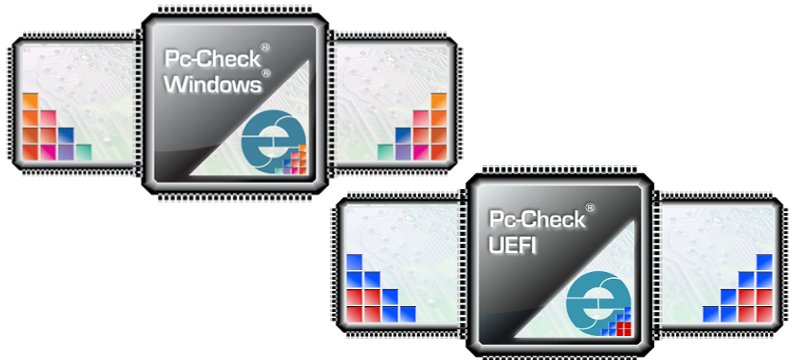
The best way to inventory the components and confirm that a PC is working correctly – before and after upgrading – is to use a diagnostic solution such as Pc-Check UEFI or Pc-Check Windows. We recommend, at a minimum, performing tests for hard drives, memory and stress tests to determine that the computer is stable.

Pc-Check® UEFI is a pre-booting diagnostic solution: it tests PCs outside any installed operating system, direct to the UEFI hardware. This eliminates interference from viruses, malware, and faulty device drivers, allowing you to make a solid diagnosis of system failures. Additionally Pc-Check UEFI includes the original Pc-Check enabling the testing of older non-UEFI based legacy PCs.

Pc-Check® Windows® has a testing advantage with Windows-based computers. Components are reliably validated in the environment in which they are used. Pc-Check Windows allows you to test devices that require Windows based drivers to function such as webcams, graphics accelerators, and wireless network interfaces. Pc-Check Windows can also reliably test RAIDs, sensors and laptop batteries.

The Pc-Check® Diagnostic Suite is the best and most reliable way to determine if system failure is due to hardware malfunction, or a software/operating system issue.

Quick View

Buy Now

Eurosoft Online Shop

Discover our limited-time offers and get the tools you need today.

Available exclusively on our online shop.

View Shop

Testimonials

See how professionals worldwide trust Eurosoft – read their stories and results.

All Testimonials

Latest News

How to Find PC Hardware Faults Faster with Diagnostic Testing
How to Find PC Hardware Faults Faster When a PC crashes, freezes, overheats, slows down, or refuses to...
Pc-Check® Windows® V3.5.4.0004 New Release
More Arm testing with Pc-Check® Windows® V3.5.4.0004 using Windows emulation on all kinds of devices...
Pc-Check UEFI V2.00 Release
Twist my Arm – so new testing for the Arm® platform arose – test cover for motherboard, CPU, RAM, TPM,...
No posts found

Contact Us

  • UK Tel: +44 (0) 1202 297 315
  • US Tel: +1 (712) 255 7483
Contact Us

Registered Head Office:

Eurosoft (UK) Ltd

3 St Stephen’s Road
Bournemouth
BH2 6JL

United Kingdom

US Office:
Eurosoft (US) Inc

2635 S Palmetto St.
Sioux City
IA 51106
USA

Facebook Linkedin X-twitter

Products

  • Pc-Check® UEFI + ARM
  • Pc-Check® Windows®
  • Pc-Check® Self-boot
  • Pc-Check® MultiMode™
  • Pc-Check® + ZeroData™ Windows®
  • ZeroData™ Windows®
  • PC Builder™ Software Test Management Suite Introduction
  • Diagnostic Test Accessories

Solutions

  • Computer Manufacturing
  • Computer Refurbishment
  • Computer Services
  • Computer Support
  • Government and Public Sector Computer Reliability

Support

  • Support Home
  • FAQ's
  • Support Ticket
  • Product Registration
  • Our Ofiices
  • Contact Eurosoft

Copyright © 2026. All Rights Reserved  Eurosoft (UK) Ltd | Terms & Conditions