





Pc-Check Windows diagnostic software — an entire new set of testing tools and applications. Fully compatible with Windows® 10 and UEFI hardware, all system components are validated in the environment in which they are used. Dependable hardware tests, giving you reliable PCs.
Awesome reminders, only Eurosoft do these…
Test more memory than other Windows-based diagnostic tools – Unlimited DIMM reporting 512Gb (W8.1) to 1TB memory (W10, 64Bit); and 2-Exabyte drives; 256 core CPU packages, video, and UEFI enabled hardware.
1st place – Longest running diagnostic company – 40 years – with spectacular results from our Microtopology memory testing and the original ‘self-boot’ capability in 1986!
Pc-Check® Windows® v3.2.1.8 in pdf format »
[su_note note_color=”#E8EFF4″ text_color=”#254B5A” radius=”6″][su_row][su_column size=”1/2″]

[/su_column]
[su_column size=”1/2″]

[su_column size=”1/2″][/su_column] [/su_row][/su_note]
| Pc-Check® Windows® New Features | The benefits to you |
| NEW Star Feature – Run 3rd party UEFI Tools Integration | In a single session, thoroughly test and certify PC hardware non-interactively before launching other UEFI tools of choice such as BIOS flashing or DMI tools to write information such as the serial number to the system. No need for the additional use of multiple media or programs. Pc-Check Windows displays an icon in the user interface for executing this. |
| NEW IR Camera Test | Check for the presence and functionality of an Infra-red camera which are typically used for facial recognition e.g. Microsoft Hello, and allow clear pictures even in low light conditions. |
| NEW Keyboard Attach/Detach Tests | For laptops and hybrid/convertible devices such as Microsoft Surface, test that a keyboard dock will detach and reconnect correctly to reduce the risk of keyboard ‘bounce’ when removed. Demonstrates potentially faulty keyboard device hardware connection issues. |
| NEW S.M.A.R.T. Attribute Wear Level Tests | This SSD specific test checks the S.M.A.R.T. Attribute Wear Level (177) value. Wear level delta is a wear level difference between most used and least used sectors. If value is equal to the threshold, then disk data backup and disk replacement is recommended even if disk is not showing any apparent issues. |
| NEW S.M.A.R.T. Custom and S.M.A.R.T. Threshold Tests | An early warning of potential storage drive failure for hard drives and SSD. Checks the set S.M.A.R.T. value against the manufacturer predefined limits or customise the upper and lower thresholds for a clear picture of drive health. This test is useful for monitoring purposes. |
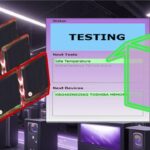
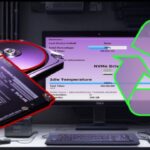
| NEW Hard Drive Temperature Tests | Designed to be run prior to testing the drive, the Idle Temperature test checks the temperature reading of the hard drive against the minimum and maximum test parameters taking temperature readings over the set duration. The Instantaneous Temperature test is designed to be run after the other drive tests have been completed, giving a clearer indication of drive temperature after use. The temperature reading of the hard drive is checked against the minimum and maximum test parameters for comparative analysis. |
| NEW Monitor Brightness Test | Change a screens brightness from 0-100% ensuring that a device such as a tablet will automatically be able to change screen brightness depending on light conditions when set to do so. |
| NEW Hard Drive Temperature Tests | Designed to be run prior to testing the drive, the Idle Temperature test checks the temperature reading of the hard drive against the minimum and maximum test parameters taking temperature readings over the set duration. The Instantaneous Temperature test is designed to be run after the other drive tests have been completed, giving a clearer indication of drive temperature after use. The temperature reading of the hard drive is checked against the minimum and maximum test parameters for comparative analysis. |
| NEW Data Route Test | This test writes a set of test data into memory using one core, before checking the data written using the other processor cores. |
[su_note note_color=”#E8EFF4″ text_color=”#254B5A” radius=”6″][su_row][su_column size=”1/2″]

[/su_column][su_column size=”1/2″]

[/su_column] [/su_row][/su_note]
| Pc-Check® Windows® Enhancements | The benefits to you |
| Improved Blue Screen of Death (BSOD) Test | New addition presents errors when Microsoft Windows encounters a critical error that it cannot recover from. BSOD are generally caused by problems with the computer hardware or issues with its hardware drivers. This test will check the Windows event log for BSOD errors, and will gather extended information on these errors. When a BSOD error occurs, it creates a dump file that will be stored on the system which can be used later for troubleshooting purposes and fixing the problems. |
| Improved Bluetooth Device Tests. | New addition identifies a devices bluetooth controller and test the connectivity and identification of client devices. Search for devices within the defined Received Signal Strength Indicator (RSSI), then initialise an authentication session between the host and client to check that pairing functions correctly. |
| Enhanced Stress Test | Updated with improved multi rendering GPU tests, providing more rigorous testing. Stress testing emphasises systems’ robustness, and error handling under a heavy load, ensuring system stability in use. |
| Updated Test Scripts | The default test scripts are now updated to improve script handling and support for test name changing through the test script. Includes the newly introduced tests, providing the most complete testing coverage. As always, unlimited preferred test scripts can be prepared as required. |
| Enhanced WinPE Monitor/Display Tests | Monitor Group tests enabled for WinPE, adding ability to test display/monitors using WinPE if the full operating system has not already been loaded on the PC. |
| Updated Processor Support | Includes AMD “Renoir” Ryzen APU, Ryzen 3 3100, 3300X Ryzen Threadripper 3960X, 3970X, 3990X and TRX40 chipsets. Intel Z490, W480, B460, Core 10xxx Comet Lake processors. Preliminary support added for the new Centaur server class CPU with AI processing capability |
General Internal Update Improvements:
- Update ability to hide tests and modify parameter default values from the configuration file.
- Update to add Embedded firmware version to Mo2 and improved script parameter reading.
- Reworked missing devices and groups in test scripts.
- Reworked PDF reporting to improve error handling and error granularity.
- Resolved double drive info on health page.
- Resolved sensor update. Also added drive temperature gauge.
- Resolved error reporting consistency.
- Resolved speed test.
- Resolved sensors not updating.
- Resolved monitor tests when no discrete monitors are detected.
- Resolved wireless enable check.
- Resolved memory debug issue. Allow forced memory debug logs in the event of a memory fault, update to script parameter handling and other improvements around debug.
- Support for ESC to skip running tests.
- Support for downgrading threshold to USB2.0.
Developing intricate computer diagnostic software – because other hardware tests miss them completely – Pc-Check Windows is indispensable. Count on a continued flow of reliable test results whether building, installing, supporting or servicing computers. Pc-Check Windows offers greater support for testing multiple devices under the latest Microsoft operating systems.
Combine Pc-Check® Windows diagnostic software with the ultimate bare metal testing solution Pc-Check® UEFI and Pc-Check® for legacy and new UEFI based PCs, expanding your range of diagnostics to a perfect 3-point test plan.
Eurosoft has helped to find millions of computer failures since 1980. No exaggeration! Celebrating 40 years — with success from our exceptional customers.